Lab Space
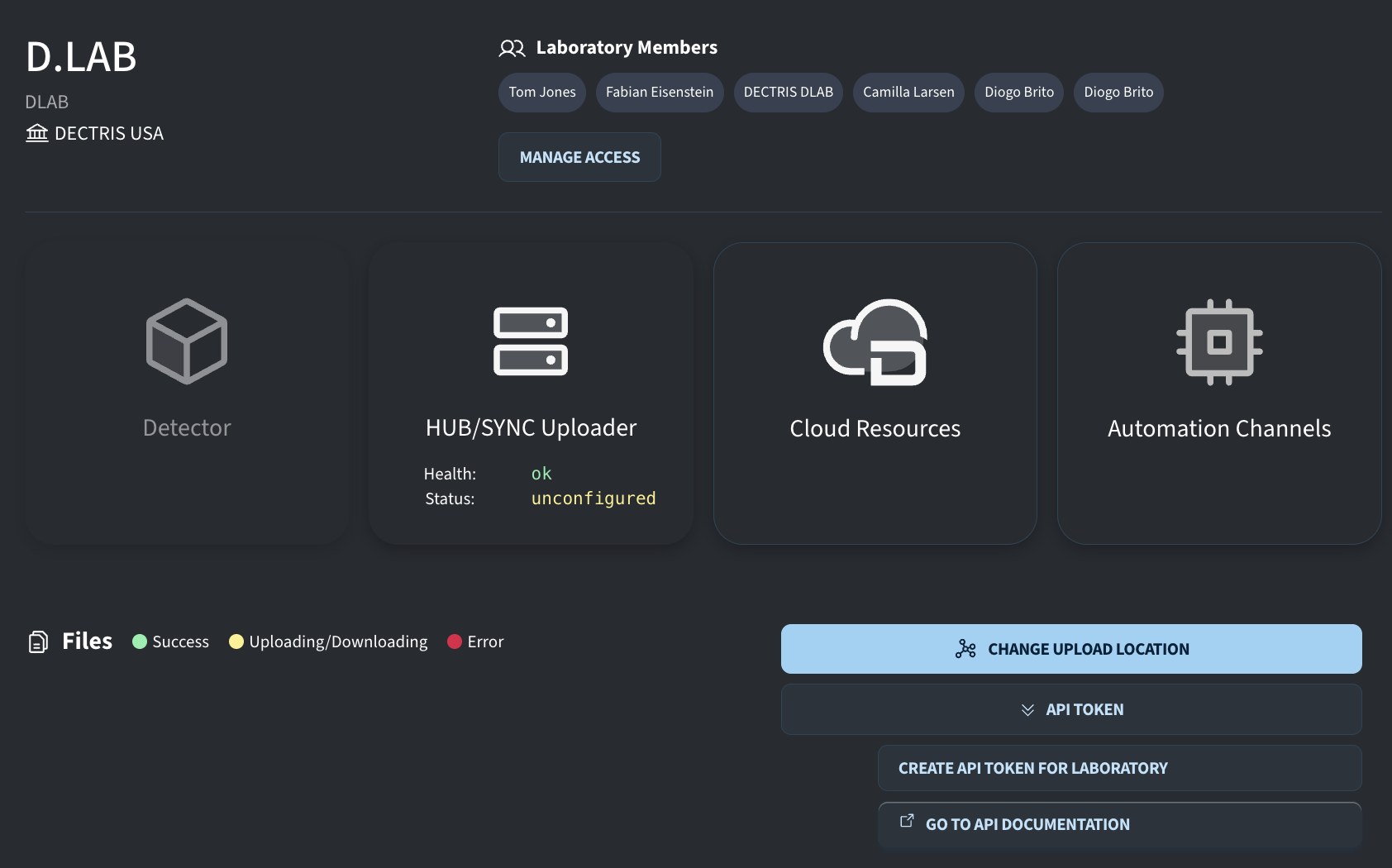
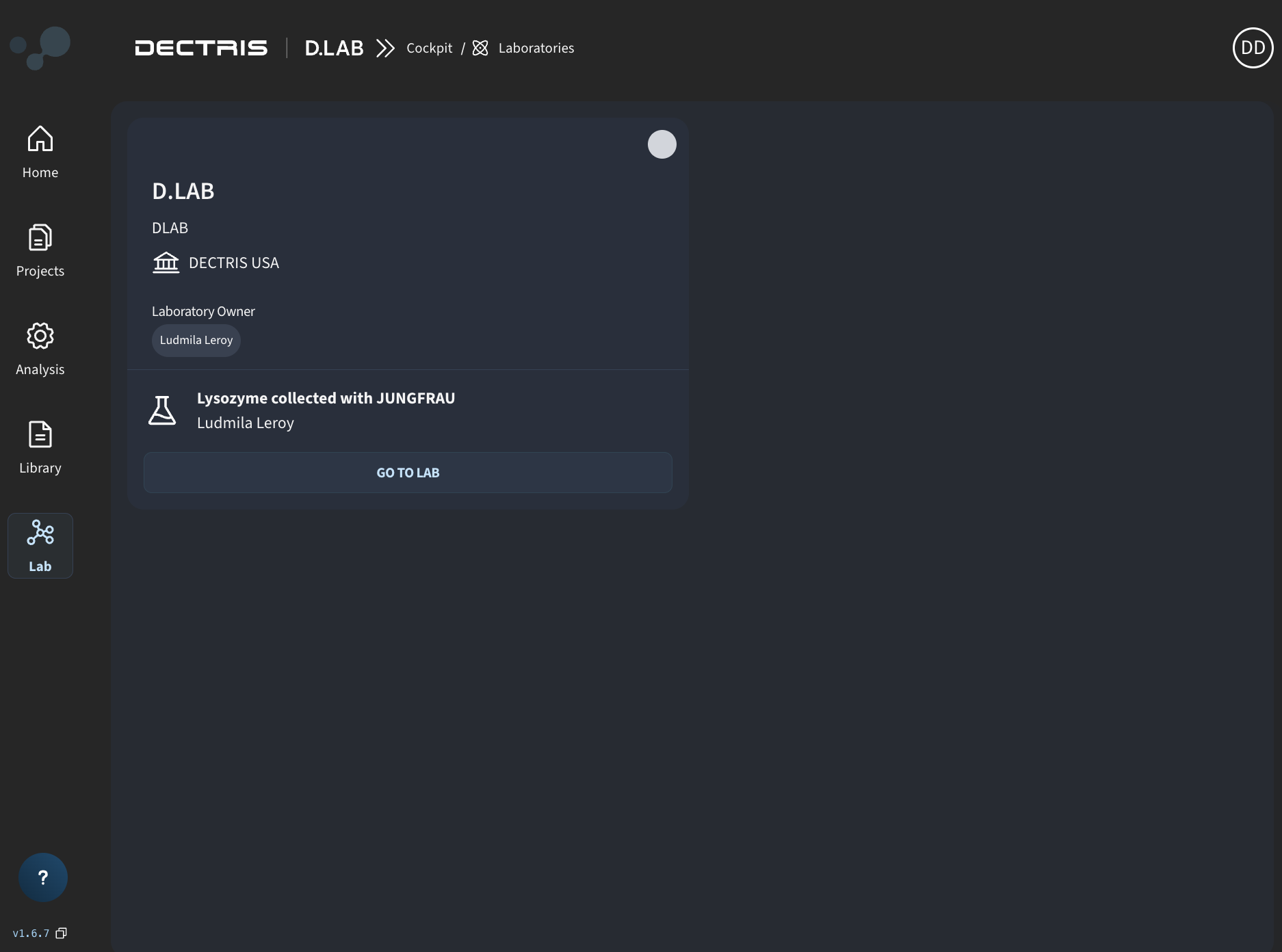
The Lab Space (accessible via the Lab icon on the left navigation sidebar) is the dedicated administrative and operational dashboard for research groups, principal investigators (PIs), and facility staff. It provides a central place to manage team members, monitor pooled compute resources, configure API integrations, and track data uploads from local computers or laboratory instruments.
What is a Lab For?
In DECTRIS D.LAB, a Lab acts as an organizational unit for research teams and facilities. It serves four main purposes:
- Resource Allocation: Pools compute (CPU/GPU) and storage quotas under a single shared Lab License, allowing team members to execute high-performance jobs and virtual desktops without individual overhead.
- Ownership & Continuity: Ensures the lab owner (PI) retains legal ownership and access to all data, code, results, and intellectual property generated by sponsored projects, environments and job templates independent of team turnover. The lab owner automatically becomes owner of all resources generated with the lab license.
- Automatic upload management: Serves as the landing hub for background uploader software streaming data live from physical laboratory detectors and instruments.
- Team Management: Simplifies permission management and API access control across all members of a research group.
Navigating the Lab Space
Within your Lab Space, you have access to four core management areas:
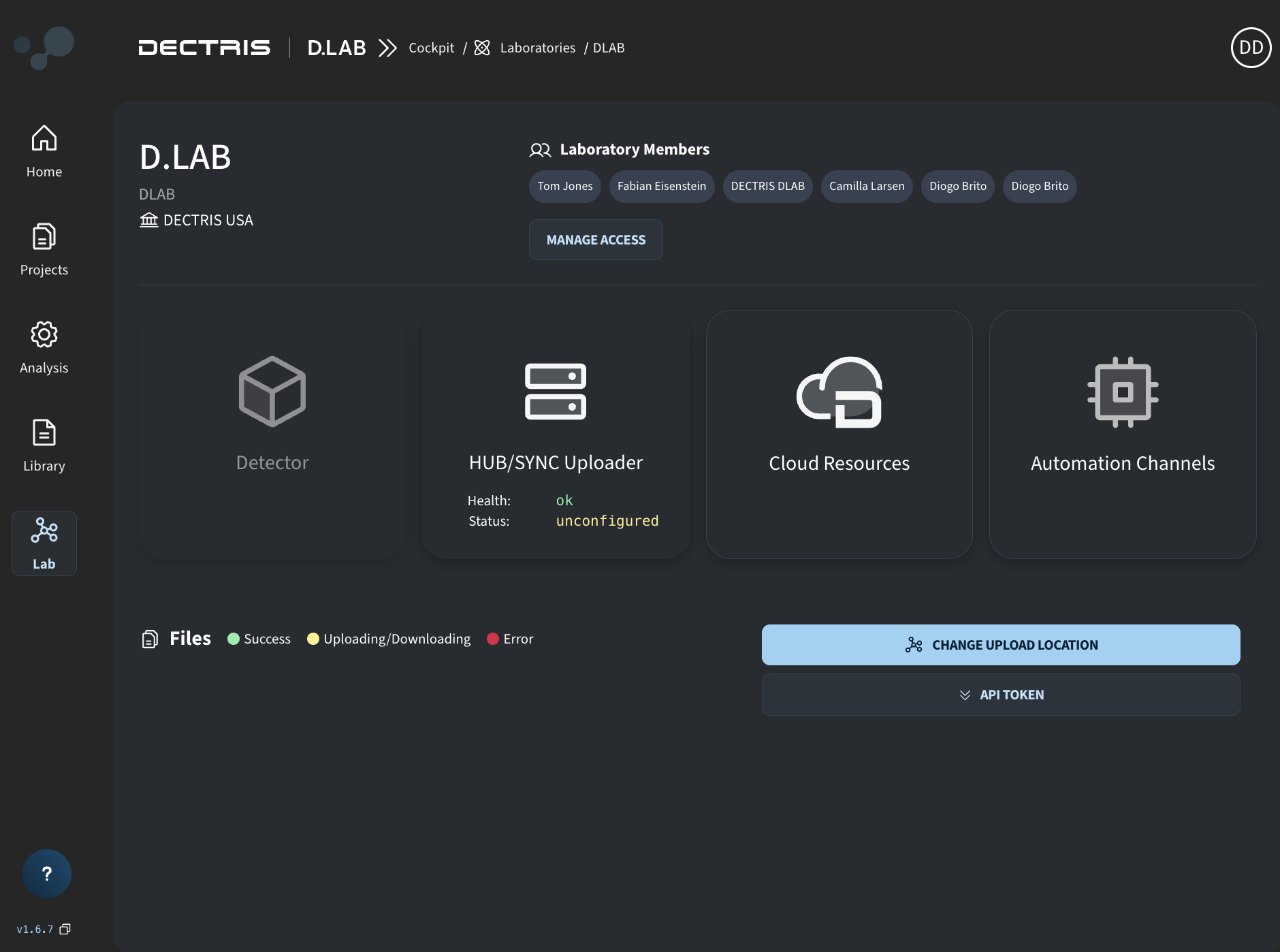
1. Monitor Uploader Status
The HUB/SYNC Uploader enables high-speed, automated transfers of large data files directly from your experimental equipment.
- Monitoring Uploader Status: The HUB/SYNC Uploader card displays the real-time health and configuration state of your background transfer pipeline. When ready to receive data, the status will show as configured.
- Changing Upload Location: Click the CHANGE UPLOAD LOCATION button to set the destination project for incoming files.
- Requirement: The target destination must be a project created using the Lab License.
- Constraint: Only one active upload destination can be connected at a time.
- Live File Tracker: The Files table below the cards displays real-time transfer progress and timestamps with color-coded status indicators.
2. Monitor Resource Usage
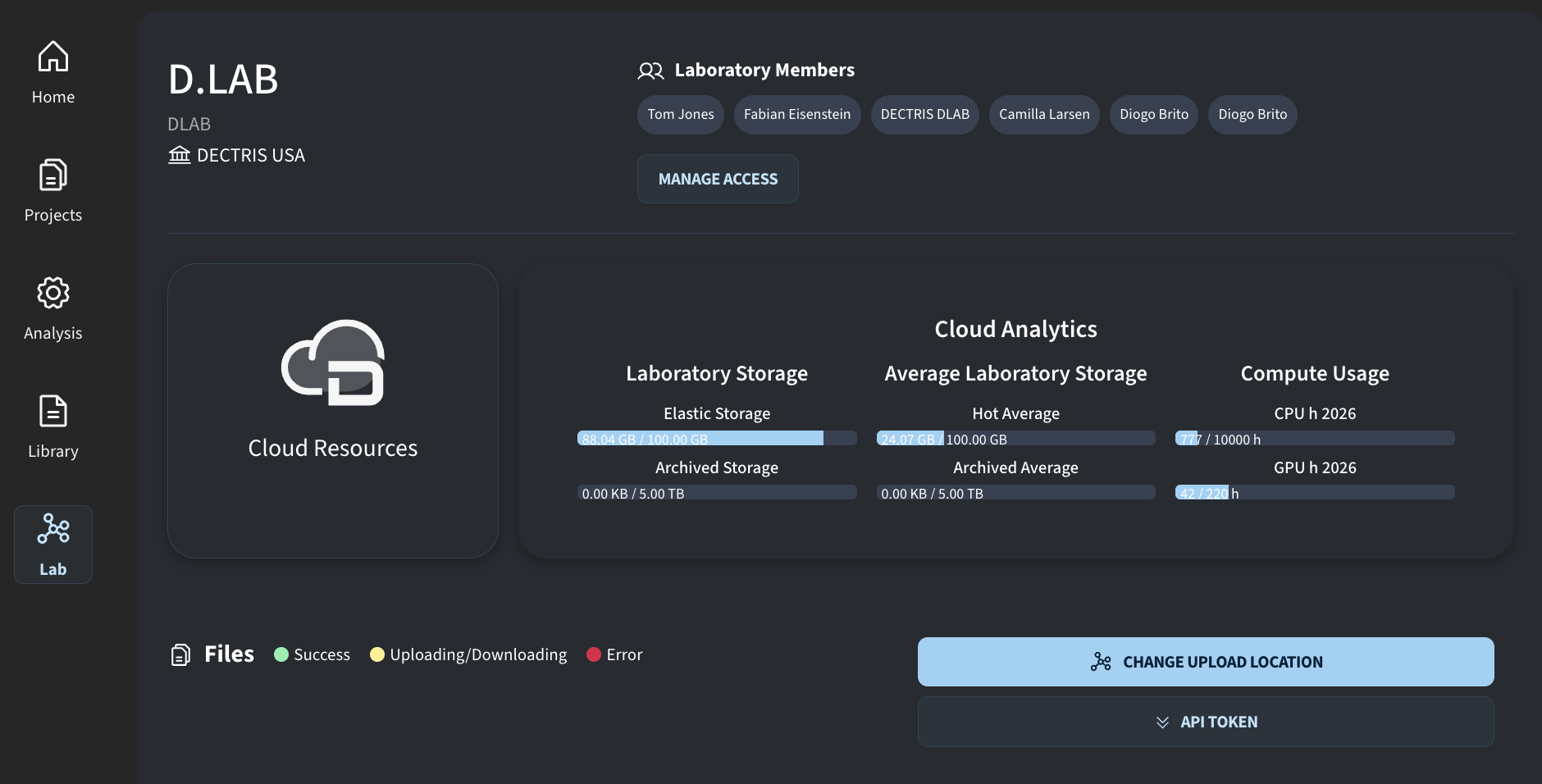
Gain complete visibility into your lab's shared hardware and storage consumption across all sponsored projects:
- Storage Allocation: Track hot and archive storage usage versus your lab's total allocated capacity.
- Compute Utilization: Monitor CPU and GPU usage across analysis jobs and virtual desktop sessions.
3. Manage Members
- Administer team access and licensing for everyone working in your laboratory:
- Member Provisioning: Invite PhD students, postdocs, visiting scientists, and staff to join your lab space.
- License Assignment: Grant team members access to the shared Lab License so they can launch sponsored projects and high-performance virtual desktops.
- Role Delegation: Assign administrative roles (e.g., Lab Manager, Lab Scientist) to delegate operational tasks and user management.
4. Manage API
- Manage secure programmatic access to your lab environment:
- API Keys & Tokens: Generate, inspect, and revoke API keys used for authenticating automated scripts, custom analysis pipelines, and hardware integration software.
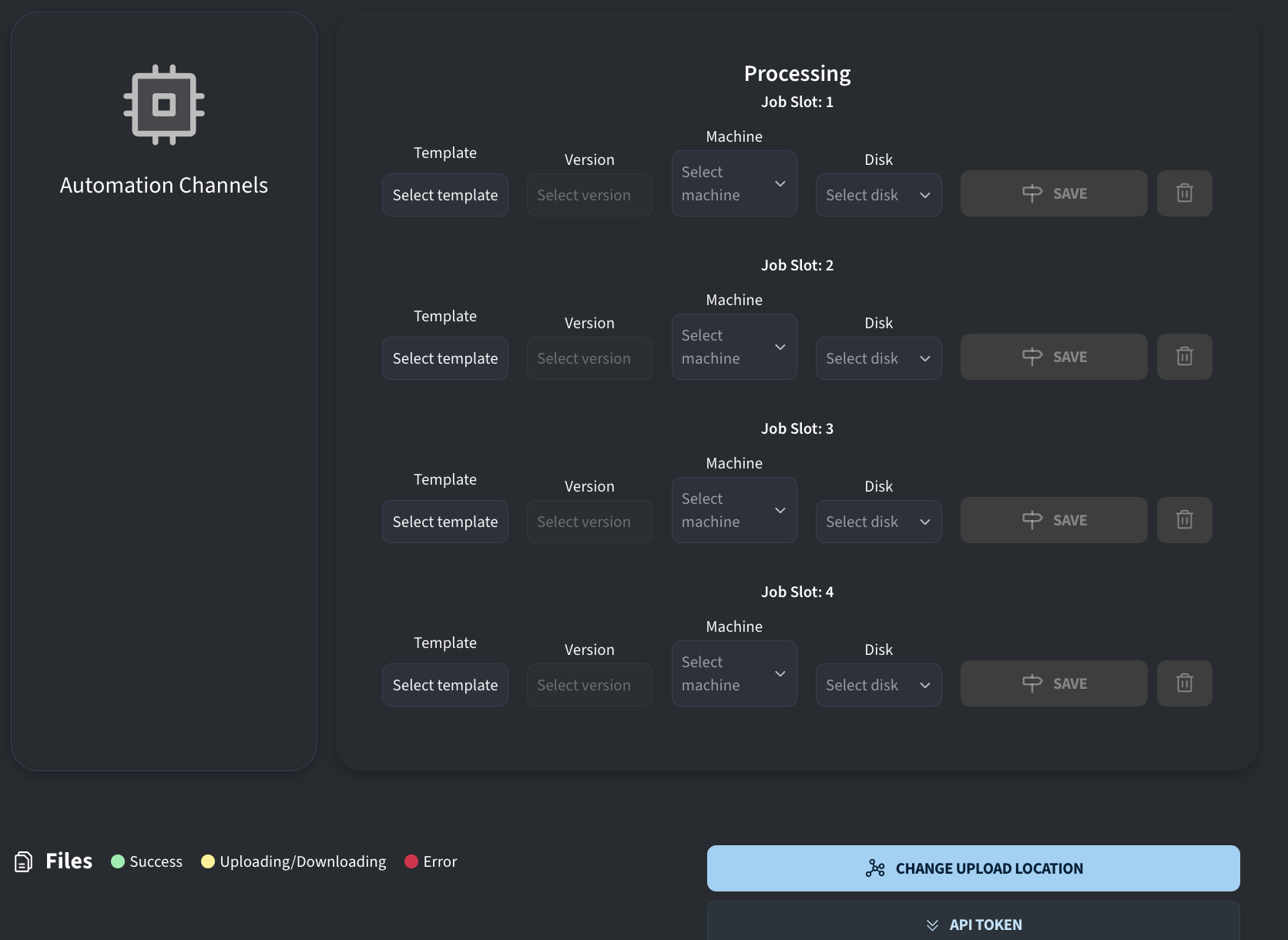
- Pipeline Automation: Enable local acquisition workstations to automatically trigger cloud workflows upon completion of an experiment.